How to Cancel Dave: Membership and Account Closure
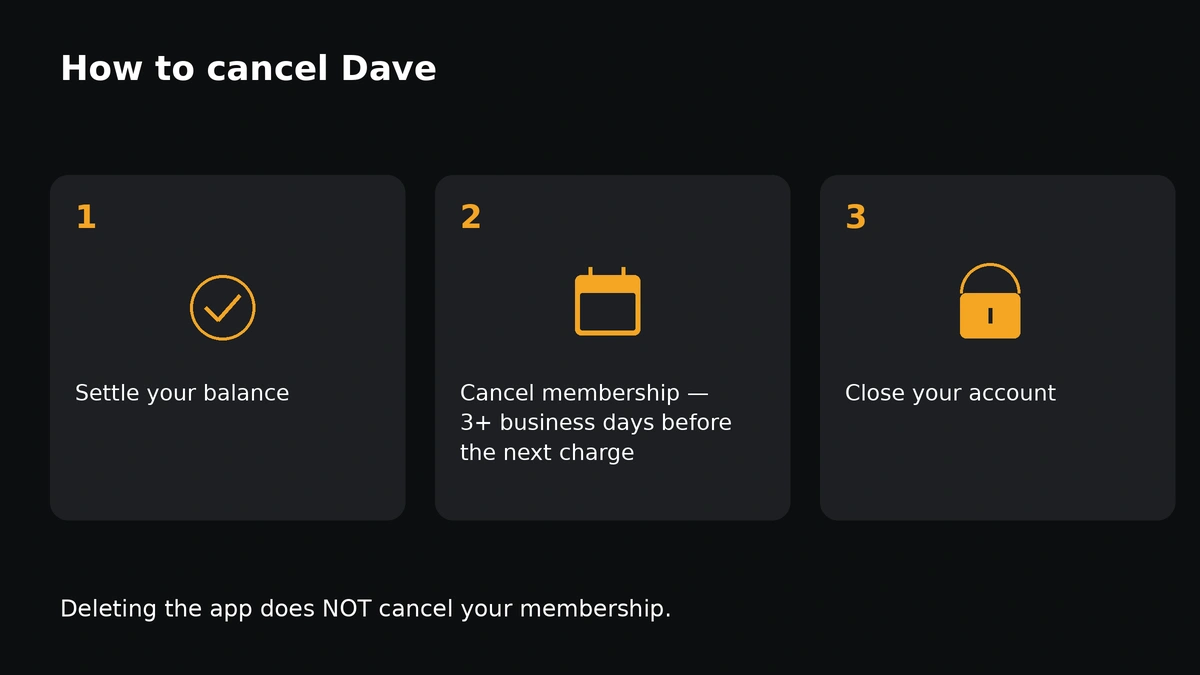
In the Dave app, go to Settings → Membership and cancel at least 3 business days before your next membership charge. Cancelling stops the fee but does not close your bank accounts. To close them, go to Settings → Edit profile → Close my Dave Account after settling any unpaid balance. Deleting the app cancels nothing.
Switching because Dave's limit is too low? See if a lender in our network can offer more. Free to check.
Check my loan offers →Step 1: Cancel the membership
- Open the Dave app and go to Settings.
- Scroll down and tap Membership.
- Follow the prompts to cancel.
Dave says you must cancel at least 3 business days before your next subscription fee to avoid being billed for the following month. The charge date appears in your recurring payment authorization in the app. Services continue until the end of your last paid month.
Step 2: Delete your Dave account (close the bank accounts)
- Move any remaining balance to an external bank account. Dave notes this can take a few business days.
- Download your tax documents from the app's settings.
- Go to Settings → Edit profile → Close my Dave Account.
Want to close only some accounts and keep others? Dave says to message Member Success through Settings → Chat.
How to stop Dave from taking money
Two different things can pull money from your bank, and they stop differently:
- The membership fee stops when you cancel in Settings → Membership, at least 3 business days before the next charge.
- An ExtraCash settlement can't be stopped once you've taken ExtraCash. Dave says each request is a separate, one-time authorization that isn't eligible for revocation or cancellation. If the full amount isn't in your account, Dave takes partial settlements over time instead, with no late fees.
The cleanest exit is to settle any ExtraCash balance (ExtraCash tab → Settle), then cancel the membership, then close the accounts. More on settlement timing: how Dave ExtraCash works.
Before you close
| Item | What Dave says |
|---|---|
| Unpaid ExtraCash or other balance | Must be settled before the account can close |
| Money left in Dave Checking | Transfer it first; otherwise Dave mails a check to your address on file |
| Tax documents | Download them before closing |
| Linked banks and cards | Disconnected when the accounts close |
What happens after
- Physical Dave debit cards are canceled; shred them.
- A final statement arrives at the start of the following month.
Leaving because ExtraCash doesn't cover what you need? See apps like Dave or compare short-term loan offers.
Frequently asked questions
Does deleting the Dave app cancel my membership?
No. You must cancel in Settings → Membership, and close accounts separately.
When do I need to cancel Dave to avoid the next fee?
At least 3 business days before the next membership charge, according to Dave.
Can I close Dave with an unpaid ExtraCash balance?
No. Dave says unsettled balances must be settled before a bank account can be closed.
How do I delete my Dave account?
Settle any balance, move your money out, download tax documents, then go to Settings → Edit profile → Close my Dave Account.
How do I stop Dave from taking money?
Cancel the membership to stop the monthly fee. An existing ExtraCash settlement can't be revoked, so settle it to stop collection attempts.
Need more than a cash advance?
Compare short-term loan offers from lenders in our partner network. Checking offers is free; we are not a lender and Dave is not part of this network.
Keep reading
Dave customer service
In-app chat, phone and email, and what to have ready.
Apps like Dave (2026)
EarnIn, Brigit, MoneyLion, Chime MyPay and Klover compared on cost.
Dave ExtraCash fees in 2026
The 5% fee, the vanished $15 cap, membership and express fees explained.
Dave ExtraCash FAQ
Short answers to the questions people ask most about Dave.
Sources
Checked November 12, 2026. Figures change; confirm in the provider's app.
- Dave Help Center — Canceling your Dave membership
- Dave Help Center — Can I revoke my ExtraCash payment authorization?
- Dave Help Center — Settlement and partial settlement
- Dave — How the ExtraCash account works
- Dave — Dave Checking account
- Dave: Credit, Cash & Money App — Google Play listing and disclosures